Scheme ApplicationMigrated
Scope
- Scheme master scale: 107 government schemes in the picker. Eligibility filtered by member age / gender / income / documents available / state.
- Each scheme links to its government portal.
- Question set is the same across schemes (questions don't change per scheme — only eligibility).
- Members can apply to multiple schemes.
- Follow-up frequency: 15 / 30 / 45 days, configurable per application.
Workflow status taxonomy (16 statuses)
From PM Status of Apply For Scheme Docu tab. Single source of truth for closure terminals — replaces V2 form 1003's closedItself array.
| Sl | Status | Open / Closed | Trigger |
|---|---|---|---|
| 1 | Collect Details | Open | On form opening, until "Do you have all relevant documents to proceed" |
| 8 | Scheme selected / Docs verified | Open | When "Do you have all relevant documents" = Yes |
| 6 | Application Filled | Open | Q.24 Application Filled |
| 7 | Application Verified | Open | When Application Verified |
| 3 | Application submitted to Govt department for approval | Open | When Application Submitted |
| 5 | Approved | Open | Follow-up Q14 = Approved |
| 12 | Application Approved & Benefits received | Closed | Q.15 = Yes → form closes |
| 15 | Application approved & Benefits not received | Closed | Q.15 = No, 2 times in a row |
| 9 | Closed | Closed | Visible on Update Member |
| 10 | Relevant Documents Missing | Closed | — |
| 13 | Application Delayed & Closed | Closed | 3rd-time delay rule |
Note the 3rd-time-delay rule — both Scheme and Document workflows close after a 3rd consecutive delay/non-receipt. Encode as a delay-counter in the audit-log (A16.3).
Eligible Schemes picker (V2)
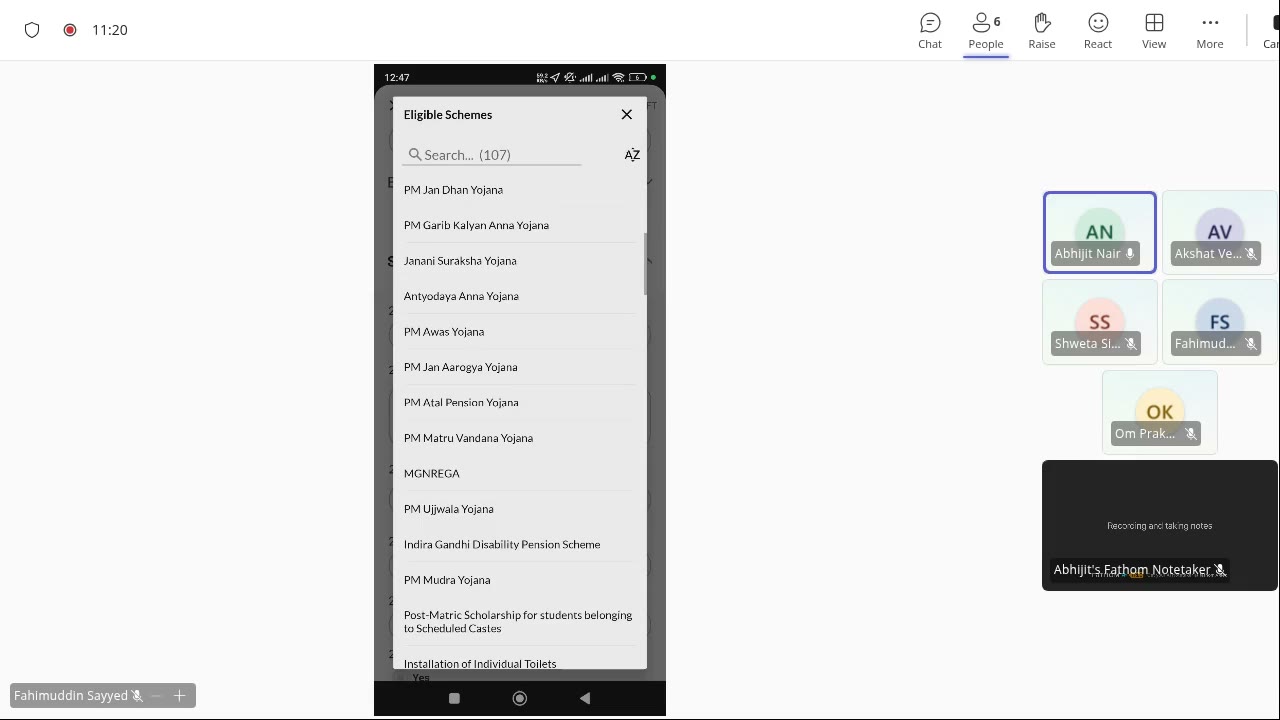
V2 picker with 107 schemes — PM Jan Dhan, Garib Kalyan, Janani Suraksha, MGNREGA, Ujjwala, Indira Gandhi Disability Pension, Mudra, Post-Matric SC scholarship, etc. Master data lives in V2 (gap A14b).
Self-link follow-ups (to be replaced)
V2 form 1003 carries the self-link via getDynamicOption + dataOrdersMapping. Each follow-up creates a new mForm response that "self-links" to the original.
In V3 this is replaced with a Frappe-native audit log on the original record (D3, A16.3).
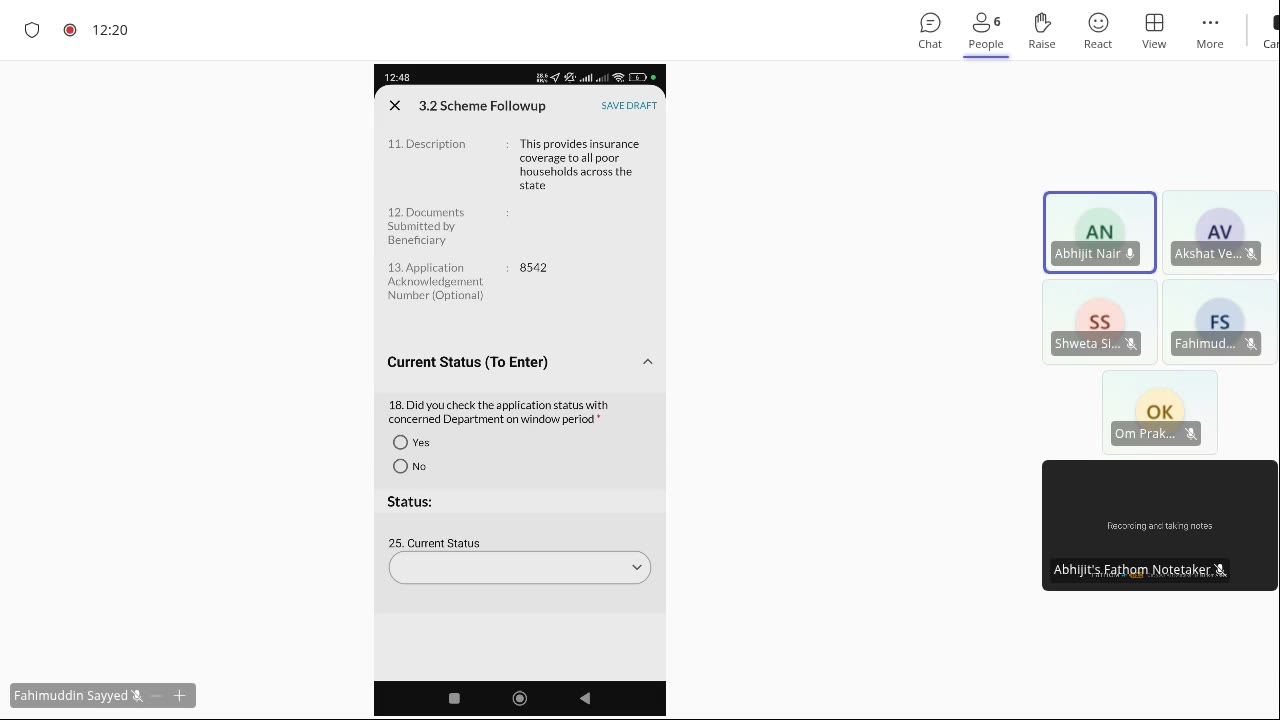
V2 3.2 Scheme Followup form mid-fill. Description, Documents Submitted, Application Acknowledgement Number, "Did you check status with concerned Department on window period" Yes/No, Current Status dropdown.
Custom Fields catalog (member-side, used here)
Used by Scheme eligibility filtering. From PM Apply for Scheme tab:
| Field | Type | Values |
|---|---|---|
| Occupation Status | Single select | Employed / Unemployed / N.A. |
| Marital Status | Single select | Unmarried / Married / Widow / Separated / Divorced / N.A. |
| Religion | Single select | Hindu / Christian / Muslim / Sikh / Jainism |
| Caste Category | Single select | General / SC / ST / MBC / BC / OBC / FC |
| Disability | Boolean | Yes / No |
| Family Annual Income | Number | — |
| Civic IDs | Multi-Select | List of 9 (A24) |
Related
Last updated 2026-05-04